
Linking your gamertag
Linking connects your Discord account to your Xbox gamertag or PSN name. You need it for your own stats, the shop, homes, raid alarms, clans and bounties.
Warden checks it's really you in game - nobody can link your gamertag without being on your account.
How to link
- Join the game server and wait about 30 seconds after you load in.
- In Discord, run
/linkand type your gamertag exactly as it shows in game. - Warden replies (only you can see it) with two Location quick chat messages, for example North then North East.
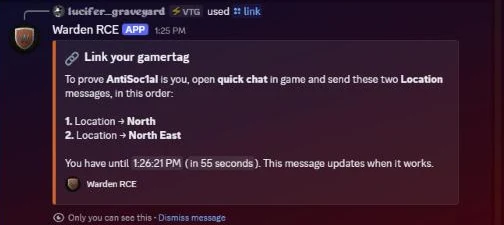
- In game, open quick chat → Location and send those two messages in that order.
- You have 1 minute. The Discord message changes to Linked as soon as Warden sees them.
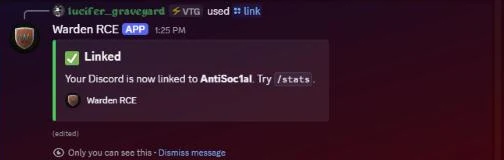
If it doesn't work
- "I don't see you online" - you have to be in the server when you run
/link. Join, wait half a minute, try again. - Timed out - run
/linkagain to get two new messages. Make sure you send them from Location, in order. - Wrong spelling - copy your gamertag exactly, including numbers and symbols.
Changed your gamertag?
Use /relink with your new gamertag. You prove it in game the same way as /link, and then everything moves over from your old name: your money and bank, stats and K/D, battle pass, homes, protected bases, bounties, cooldowns and timed VIP - Warden gives the VIP to your new name in game and takes it off the old one. If you'd already played a bit under the new name, the two are added together.
Admins can do it for you without the in-game step: /links rename user: gamertag:, or Change gamertag on the dashboard's Linked players page.
/unlink first - that drops the link, and your money stays on the old name.Changing or removing your link
- Run
/linkagain with a different gamertag to switch to another account (your money and stats stay with the old one). /unlinkremoves your link.- If someone else had your gamertag linked, proving it in game moves it to you.
What linking gives you
- The Linked role (if your server uses it) and maybe your gamertag as your nickname.
/statsand/balancewithout typing your name.- A link reward on some servers.