
Support tickets
A button players press to open a private channel with your staff - for raid reports, bugs, payments, anything.
Setting it up
/tickets setup channel: staff_role: log_channel: category:
| Option | What it does |
|---|---|
channel | Where the Open a ticket panel goes - a channel players can see |
staff_role | The role that can see and answer every ticket |
log_channel | (optional) Where opened, closed and deleted tickets are logged. Leave it out the first time and Warden makes a 📝・ticket-logs channel only your staff role can see, and sends transcripts there too |
category | (optional) Category for ticket channels - Warden makes 🎫 Tickets if you leave it out |
Then /tickets transcripts picks where transcripts go.
Running it again moves the panel (the old one is removed).
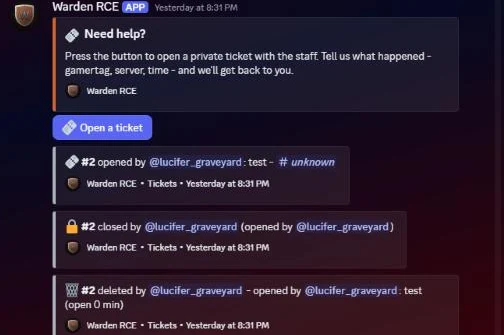
How a ticket works
- A player presses Open a ticket and fills in what it's about, plus details.
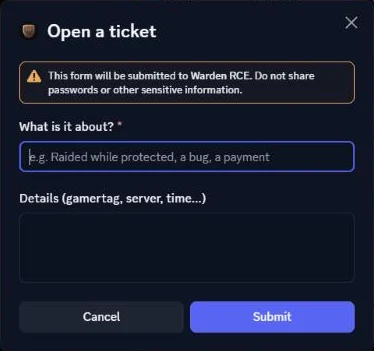
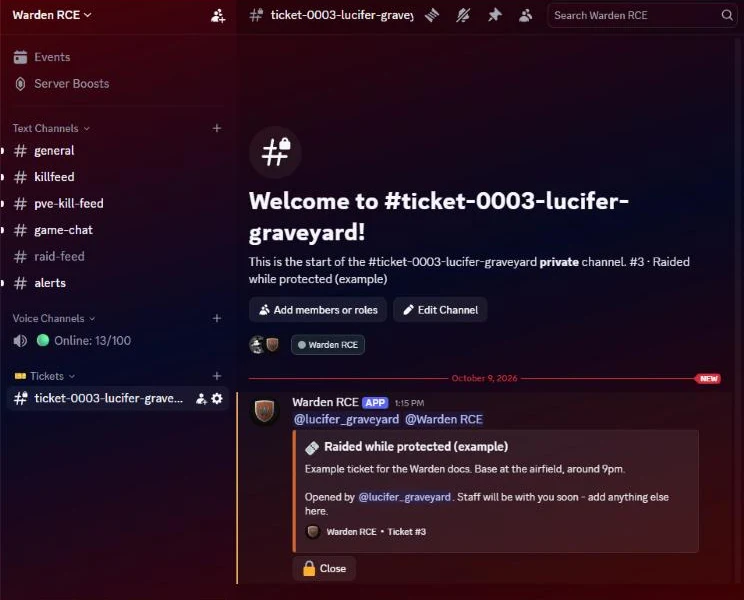
- Warden makes a private channel like
ticket-0001-namethat only the player, your staff role and Warden can see, and pings both. (For the staff ping to notify anyone, the role needs Allow anyone to @mention this role turned on - Warden tells you if it doesn't.) - Anyone in it can talk. The player can only have one open ticket at a time.
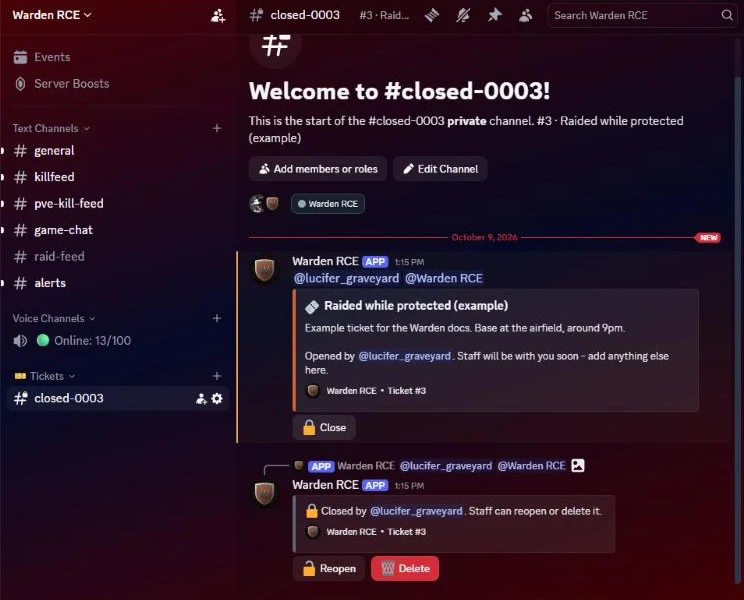
- Close (the player or staff): the player can no longer write; the channel becomes
closed-0001. - Staff can Reopen or Delete it. Deleting removes the channel and logs a summary.
- Closing also sends the transcript.
/tickets stats shows how many are open, closed and in total.
Transcripts
When a ticket is closed, Warden makes a transcript: every message in the ticket - text, embeds, pictures and files - as one page you open in your browser.
- The player who opened the ticket gets a copy by DM (on by default).
- Your channels: pick up to 5 channels to post every transcript in - a staff log channel, for example.
/tickets transcripts shows where they go, with a menu to pick the channels and a button to turn the player's DM copy on or off. Warden needs View Channel, Send Messages, Embed Links and Attach Files in the channels you pick - the panel warns you if it can't post somewhere.
If the player's DMs are closed they don't get one - the ticket log says so.