
Welcome & goodbye posts
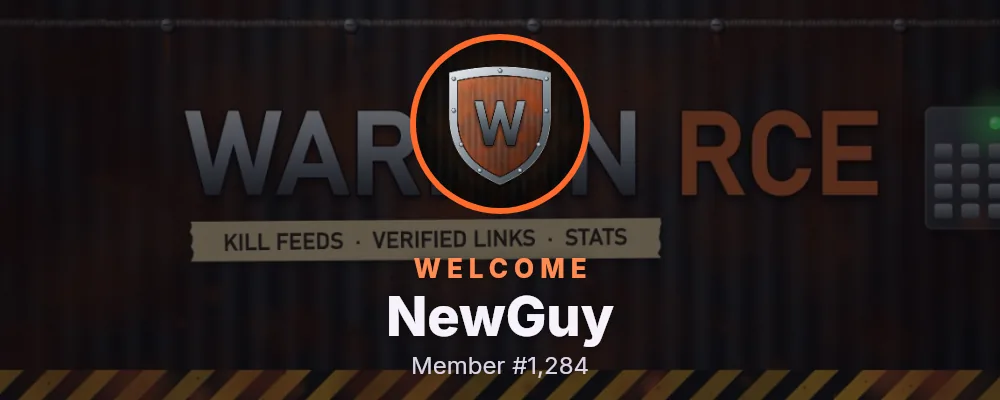
Greet everyone who joins your Discord, and see who leaves. Each post is your own message plus a picture card with the member's avatar and name over a picture you choose. It's free on every Discord.
Setting it up
/welcome join channel:#welcome- turn on welcome posts in that channel./welcome leave channel:#goodbyes- turn on goodbye posts. Many servers use a staff channel for these./welcome test- see the post with you as the member. Only you see it, and nobody is pinged.
Leave every option out (/welcome join) to see the current settings. The Welcome tab on the dashboard does the same, with a live preview.
Your own message
/welcome join message: sets your text. These words are filled in:
| Word | Becomes |
|---|---|
{user} | A ping for the new member (welcome posts only - in a goodbye it's their name) |
{name} | Their name in your Discord |
{server} | Your Discord's name |
{count} | How many members your Discord has now |
For example: Welcome to {server}, {user}! Read #rules and grab a kit with /kit.
message:defaultgoes back to Warden's own text, in your Discord's language.- Only the new member can be pinged. A welcome never pings @everyone, @here or a role, even if the text has one.
The picture card

picture:- upload a background (PNG, JPG, WEBP or GIF, up to 1 MB). The card is 1000 x 400, so wide pictures fit best. It's darkened so the words are easy to read.remove_picture:True- back to the plain background.card:False- post only the message, with no card.
Welcome and goodbye posts can each have their own picture. A goodbye without one uses the welcome's picture.
Names in emoji or in a script the card can't draw (like Chinese or Arabic) show as the member's username on the card. The message above the card shows their name as it is.
Turning it off
/welcome join off:Trueor/welcome leave off:True.- Deleting the channel turns that post off too.
Good to know
- Bots that join get no welcome.
- If lots of people join at once (a raid), Warden posts at most 8 welcomes a minute and skips the rest, so the channel isn't flooded.
- Goodbyes are posted when someone leaves, is kicked or is banned.